
2024 Prize Winner -
KU Digital Humanities Award
Awarded by the University of Kansas for creative excellence and effective interactive presentation using new technology. I developed the project using Adobe XD, a new application I used as a beta tester. Adobe ended development before reaching a fully market-ready version. Beta projects can still be published, but updates are not possible.
See examples of the development screens below this Project Overview Map
Stages of Adobe XD Project Development
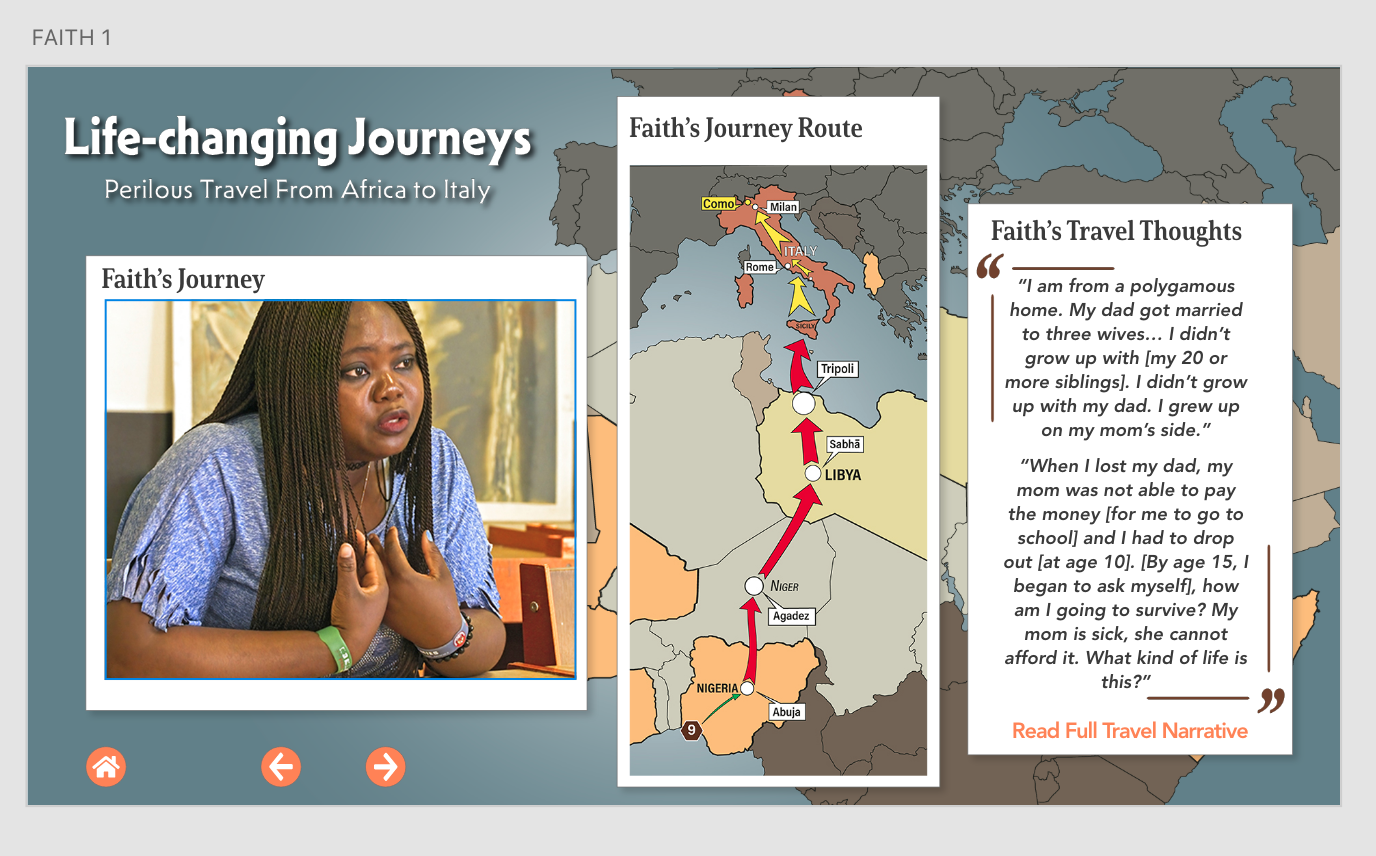
In this stage, the micro elements (text, images, buttons, etc.) are brought together to form individual slides to build out the full project.
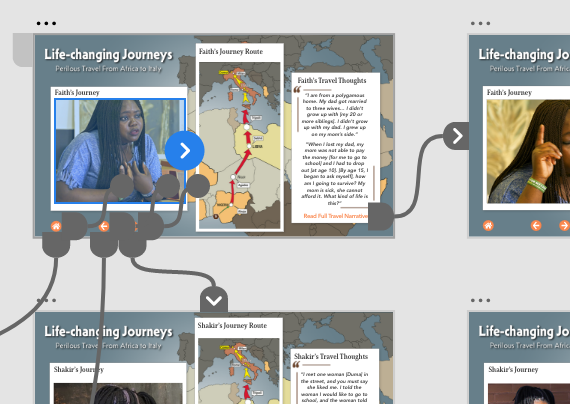
In this stage, the components (slides) are linked using lines of connection to other slides on the art board. This follows the flow of the directional arrows on each slides.
Stage Three
Share
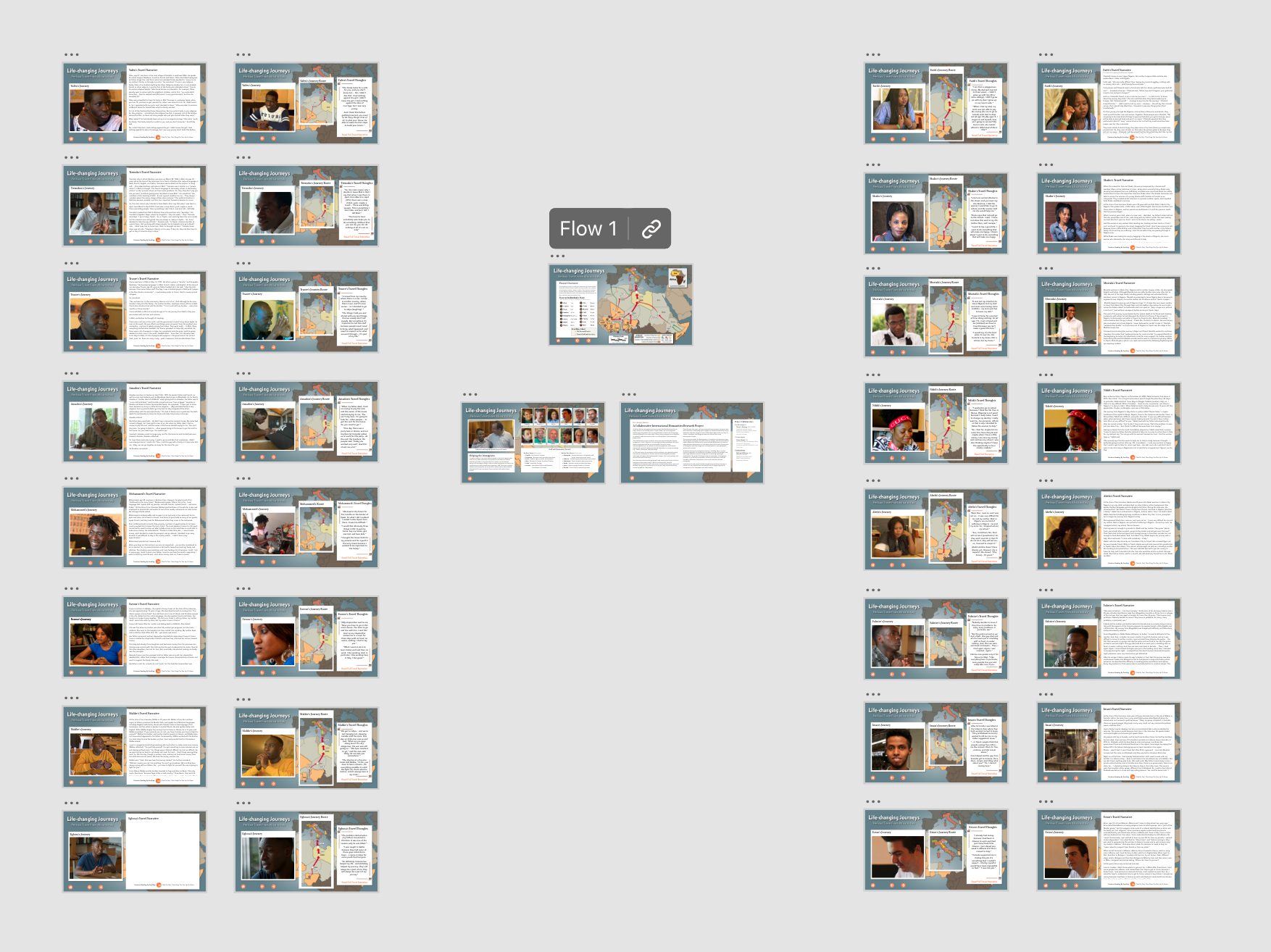
Stage One
Design
Stage Two Prototype
These components are place on a large art board to facilitate the second stage of design: building the interaction relationships.
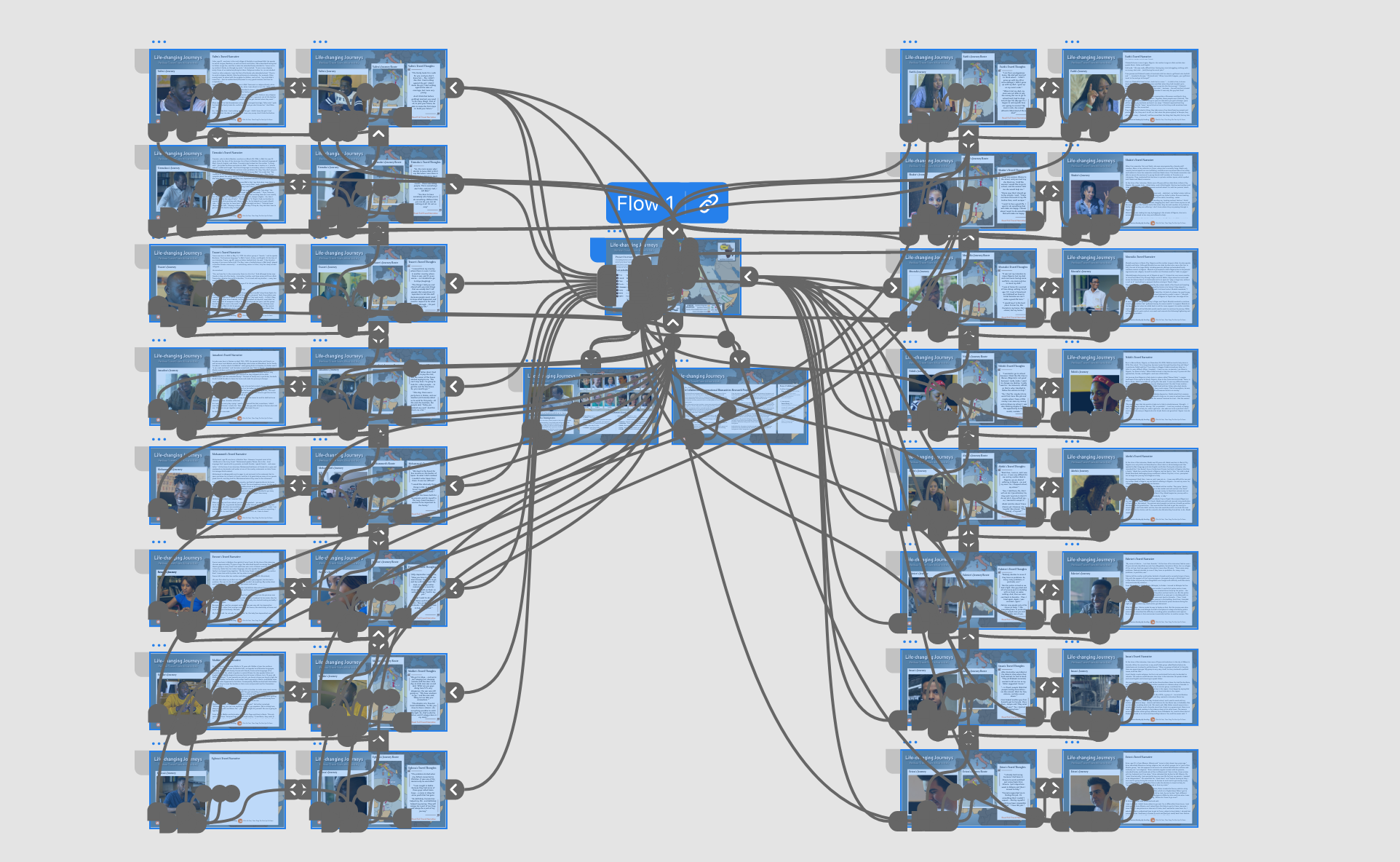
The lines of connections are arrows that terminate to make a link without hard coding. The linked interactions can be tested here.
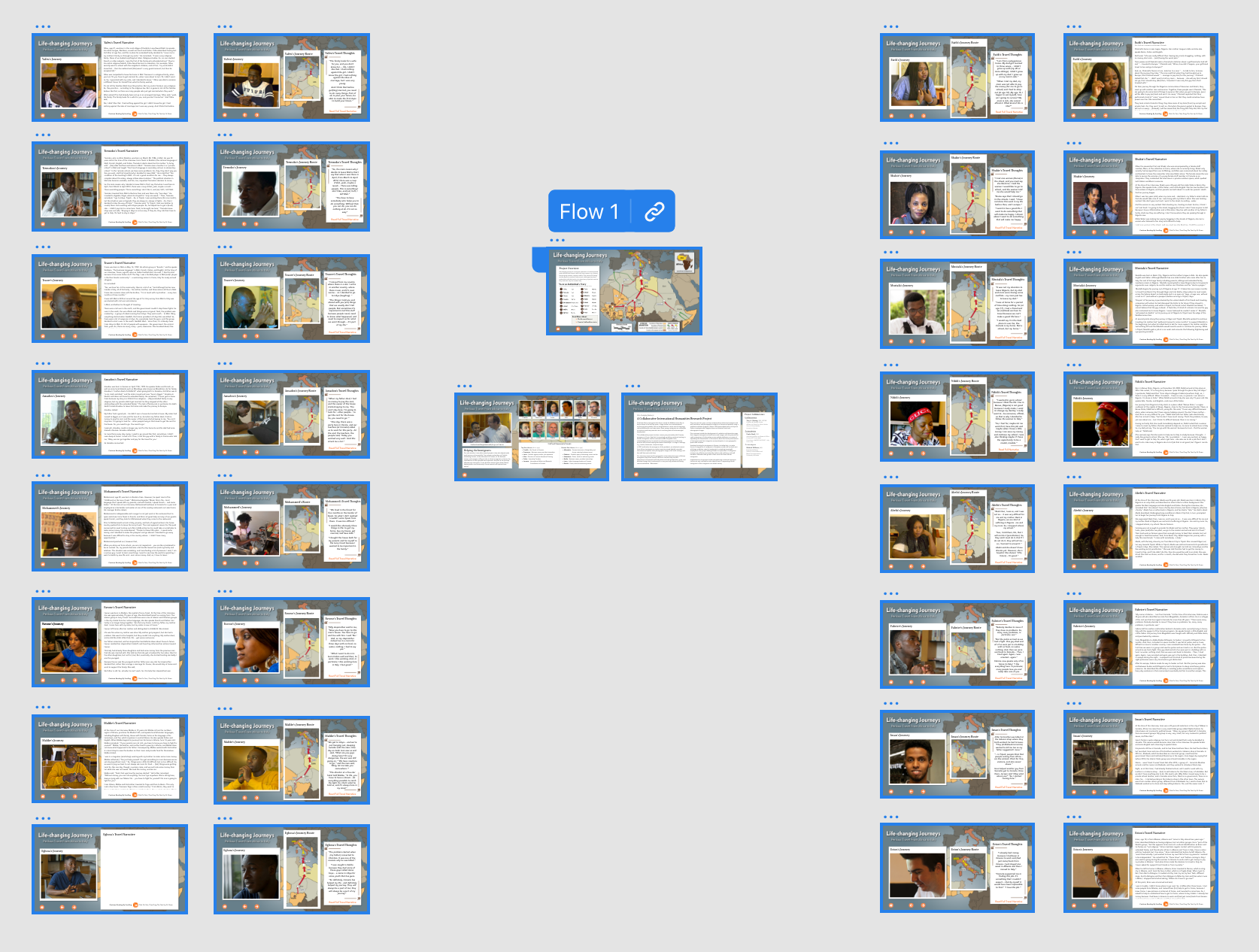
In this final stage of production, the Primary or Starting Page is highlighted and indicates the Flow move forward from this slide. It is also where the producer can get the link to an fully interactive version of the project (shown at top of this page).